
Where to Keep Your Money in GTA 6: Pocket Cash, Floor Stashes and BuckMe
Cash in your pocket disappears if you are wasted or busted. Here is how GTA 6 splits money between pocket cash, the floor stash in Jason's house, a BuckMe checking account and Family Savings.
Grand Theft Auto VI does not treat cash as a single number in the corner of the screen. Money sits in three places, and only one of them is safe to spend: the cash you carry, a hidden stash in Jason's house, and a BuckMe bank account you unlock in Chapter 1. Get the rules wrong and a single arrest can wipe out a run of jobs.
Pocket cash: what you can carry, and what you can lose
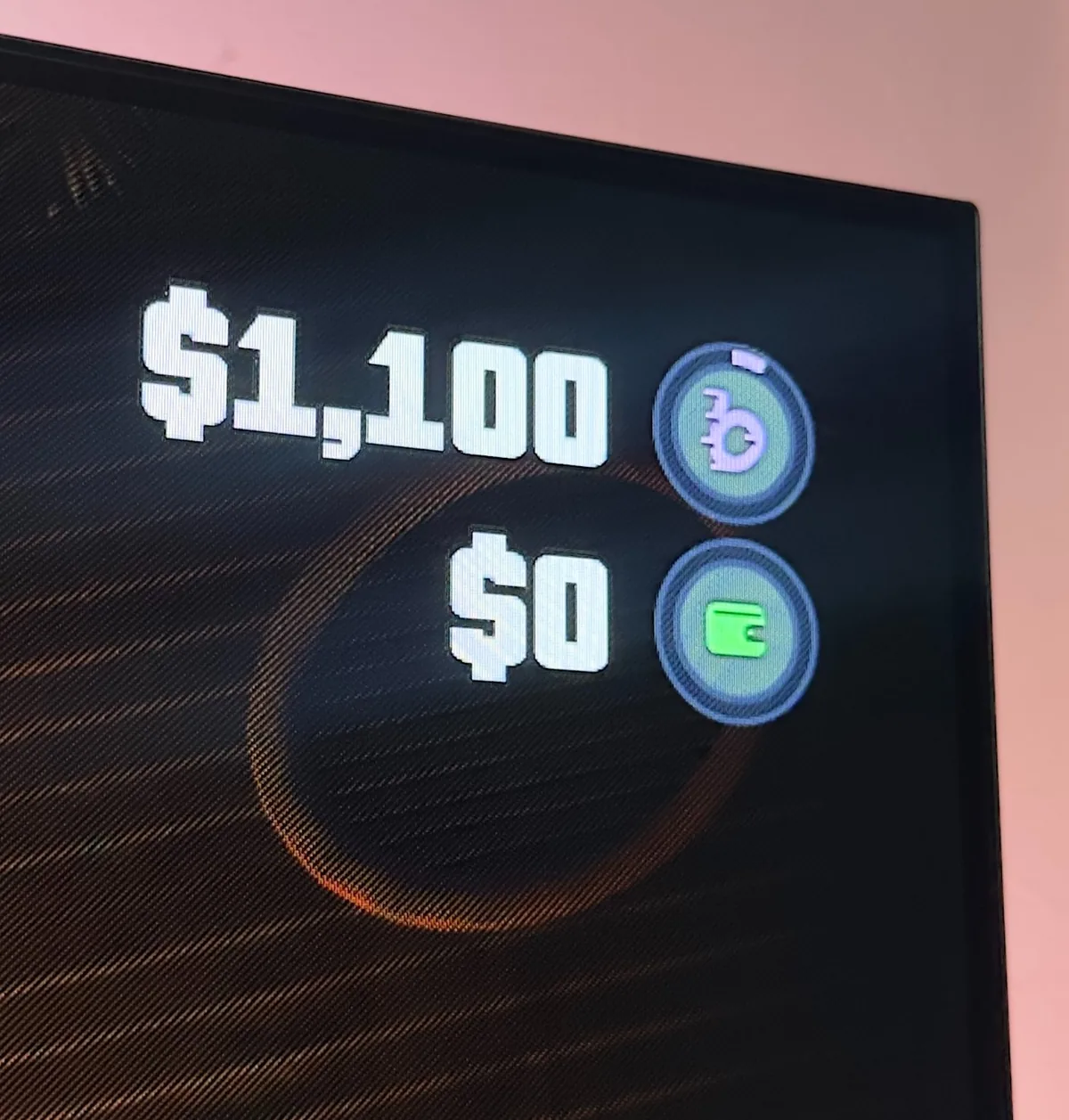
Both Jason and Lucia can each carry up to $20,000 in pocket cash, according to GamesRadar+'s money guide, published on launch day and repeated in its ATM guide. That physical cash is what you take from robberies and jobs, and it is also what most shops accept for smaller purchases of up to $1,000.
Anything above that amount, or any purchase that only accepts a digital payment, goes through your BuckMe checking account. Keep that split in mind when you walk into a store with a fat wad of bills and a near-empty bank balance.
The important rule: all pocket cash is gone if you are wasted or busted. GamesRadar also notes that aggressive civilians can take it off you if a fight gets out of hand. If you are over the $1,000 you actually need for small buys, park the rest somewhere safer before you pick the next fight.
The floor stash in Jason's house
Before the bank opens, Jason already has a place to hide cash. In the optional early Chapter 1 task to repair his house, GamesRadar's walkthrough sends you into the bedroom, to a loose floorboard beside the bed. Hold Triangle on PlayStation or Y on Xbox to open it.
The stash can hold up to $20,000. You can deposit and withdraw from it, and that money is not sitting in your pocket, so it is not lost with a death or an arrest. It is still a box in a house, not a bank: you have to come back and take the cash out before you can spend it.
Use it in the opening hours, then keep it in mind as a backup if a checking account is already at its limit or you are far from an ATM.
How you unlock BuckMe
The bank is not waiting on the map from the first cutscene. You unlock it by finishing the Chapter 1 mission Buck Me. GamesRadar is direct: complete that mission and you can use ATMs. The mission walkthrough has Jason and Lucia go to a Fleeca branch to set up accounts. The manager will not open a traditional one for them. Back at the house, Jason points you to BuckMe on the phone instead.
In free roam, press Up on the D-pad to take out the phone and open the BuckMe app. That is your bank from this point on.
Checking accounts, limits and the $1,000 line
Jason and Lucia each have their own BuckMe checking account and their own balance. GamesRadar says those balance limits rise as you move through the story. The app notifies you in Chapter 2, Chapter 3 and Chapter 4 when a mission has been completed and an upgrade is available. Upgraded accounts also come with lower fees and extra perks; the guides do not list a starting cap, so treat the number on your own phone as the one that matters.
If you hit the cap, incoming payments do not vanish, but they stay pending until there is room for a full deposit. That is easy to miss after a big job. Clear space first, then collect.
Purchases over $1,000 come out of checking, not your pocket. So do services that only take a digital payment. The practical habit is simple: keep a little cash for small shops, and move the rest into BuckMe as soon as you can.
How to find an ATM and use it
Once Buck Me is done, ATMs are the way cash leaves your pocket and enters checking. GamesRadar describes two ways to find one:
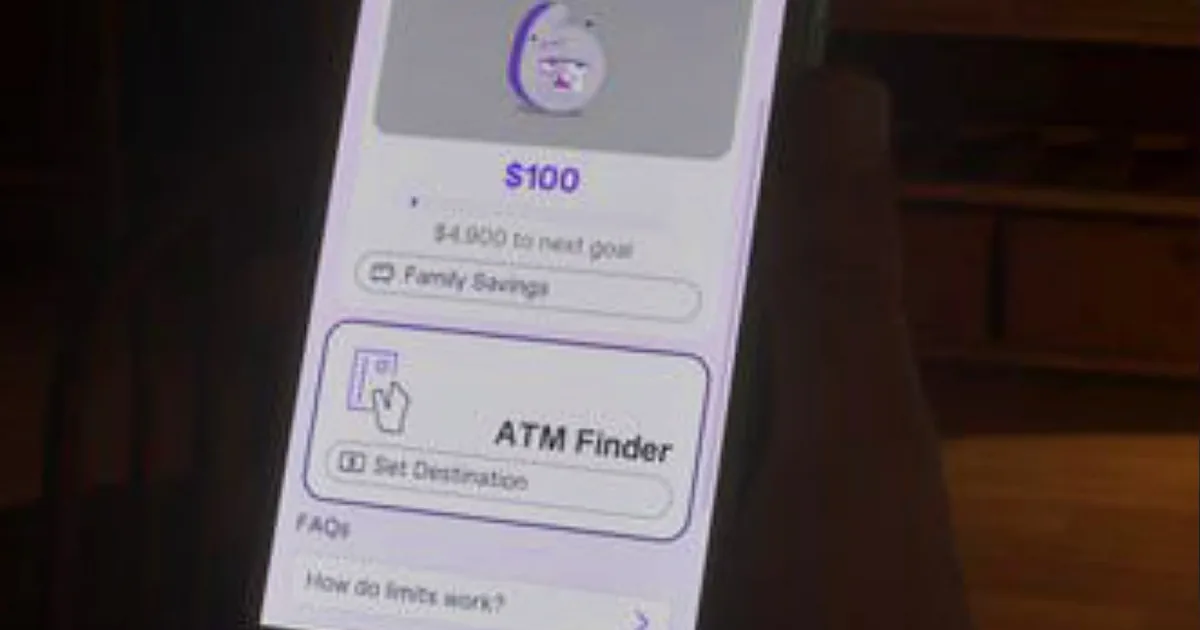
- In the BuckMe app, scroll to the bottom and choose ATM Finder. It sets a destination to the nearest machine.
- In the in-game Index, open the Personal section for a list of cash deposit locations.
Walk up to the machine and press Triangle or Y. You can deposit, withdraw, and view recent transactions. You can move up to $20,000 in or out in one go, which is also the pocket cash cap, as long as the account itself still has room.
Clubs and other interiors have machines too, which matters later when a private dance or a bar tab has to be paid in cash.

Family Savings: safe, shared, and locked
The same Chapter 1 mission also opens BuckMe Family Savings. This is a joint pool. Either character can move money into it from their own checking account, in the app, with the Buck Yourself button, as GamesRadar's Family Savings guide explains.
Two rules matter more than the branding. First, once money goes in, it can never be withdrawn or spent by Jason or Lucia. Second, there are five tiers of balance limit, and those limits rise as you progress through the main missions, including Chapters 2, 3 and 4. If you hit a target before the cap goes up, BuckMe adds an interest payment to help the balance along.
The first related objective in the Index is to put $5,000 into the joint account. The whole thing is optional. GamesRadar calls it the only fully secure place for money in the game, and also says the state of the account can change some interactions between the characters and influence the ending. It does not spell out how, and this guide will not either.
A useful way to think about it: Family Savings is for money you are willing to put away for the story, not for the next car or the next gun.
A simple order to follow
- Early Chapter 1, before Buck Me: use the floor stash. Do not walk around with more pocket cash than you need.
- After Buck Me: put spare cash in checking at an ATM. Use ATM Finder if you cannot see a machine.
- Leave some pocket cash for purchases under $1,000.
- Watch the checking cap, especially after a large payout, so deposits do not sit pending.
- Move money into Family Savings only if you are comfortable never touching it again.
In Leonida, cash on the street can disappear, and the safest account in the game will not give it back. Gatorush is a GTA VI Roleplay city with a real on-chain economy: every dollar in the city is on-chain, in your wallet. Early residents get 500 $GATORUSH as starting capital, waiting in the City bot.
Source: GamesRadar+